OOPS, or Object-Oriented Programming System, is a programming paradigm that organizes software design around objects rather than functions or logic. An object is an instance of a class, which can contain data (attributes or properties) and methods (functions or behaviors) that operate on the data.OOP concepts help organize and structure code for better reusability, scalability, and maintenance.
Here are the core OOP concepts in C#:
1. Encapsulation
Encapsulation is the process of keeping data and methods that operate on that data within a single unit (i.e., a class) and restricting direct access to some of the object's components.
This is achieved in C# by defining access modifiers like public, private, and protected.
Example:
csharp
publicclassCar
{
privateint speed; // Private field - accessible only within the classpublicint Speed // Public property with getter and setter
{
get { return speed; }
set { speed = value > 0 ? value : 0; }
}
}
2. Abstraction
Abstraction is the concept of hiding complex implementation details and showing only the necessary features of an object.
This is often achieved using abstract classes and interfaces in C#.
In C#, these are access modifiers that control the visibility or accessibility of classes and members (like fields, methods, properties) in your code. Each modifier defines where a class or member can be accessed from. Here's a breakdown:
1. public
Definition: The public access modifier allows members to be accessed from anywhere in the application.
Usage: Classes, properties, and methods marked as public are accessible from other classes, namespaces, and assemblies.
Example:
csharp
publicclassCar
{
publicstring Model; // Accessible from any code in the project
}
2. private
Definition: The private access modifier restricts access to the containing class only. No other classes, even derived ones, can access private members.
Usage: Commonly used to hide sensitive data or implementation details that should not be accessible outside the class.
Example:
csharp
publicclassCar
{
privatestring color; // Only accessible within the Car class
}
3. protected
Definition: The protected access modifier allows access within the containing class and any derived classes.
Usage: Useful for members that should be visible to subclasses but hidden from other classes.
Example:
csharp
publicclassVehicle
{
protectedstring brand; // Accessible in Vehicle and derived classes
}
publicclassCar : Vehicle
{
publicvoidShowBrand()
{
Console.WriteLine(brand); // Accessible in the Car class (derived from Vehicle)
}
}
4. internal
Definition: The internal access modifier restricts access to within the same assembly (project).
Usage: Useful for classes or members that are intended to be used only within the same project but not from external projects.
Example:
csharp
internalclassEngine
{
// Accessible only within the same assembly
}
5. protected internal
Definition: The protected internal access modifier combines protected and internal. It allows access from derived classes and any class within the same assembly.
Usage: This access level is useful when you want to expose members to both derived classes and other classes within the same assembly.
Example:
csharp
publicclassVehicle
{
protectedinternalint speed; // Accessible within derived classes or the same assembly
}
6. private protected (C# 7.2 and later)
Definition: The private protected access modifier restricts access to the containing class or derived classes within the same assembly.
Usage: Useful when you want members to be accessible in derived classes, but only if they are in the same project.
Example:
csharp
publicclassVehicle
{
privateprotectedint fuelLevel; // Accessible in derived classes within the same assembly only
}
Summary Table:
Modifier
Accessible within the Class
Accessible in Derived Classes
Accessible within the Same Assembly
Accessible Outside the Assembly
public
Yes
Yes
Yes
Yes
private
Yes
No
No
No
protected
Yes
Yes
No
No
internal
Yes
No
Yes
No
protected internal
Yes
Yes
Yes
No
private protected
Yes
Yes
Only within the same assembly
No
These access modifiers help to enforce encapsulation by controlling where classes and members can be accessed.
In C#, the static keyword is used to define members (variables, methods, properties) or classes that belong to the type itself rather than to an instance of the type. This means that static members are shared across all instances of a class, and you do not need to create an object of the class to access them.
Here’s a closer look at what static means and how it’s used:
1. Static Fields and Methods
Static Field: A static field is a variable that belongs to the class itself, not to any specific instance. All instances of the class share the same static field, so changing its value in one instance affects it for all instances.
Static Method: A static method can be called on the class itself, without creating an instance. It can only access other static members (fields, properties, etc.) directly.
csharp
publicclassCalculator
{
publicstaticint counter = 0; // Shared by all Calculator objectspublicstaticintAdd(int a, int b)
{
return a + b;
}
}
// Usage:int result = Calculator.Add(5, 10); // Calls static method directly on the class
Console.WriteLine(Calculator.counter); // Accesses static field directly on the class
2. Static Classes
A static class can only contain static members and cannot be instantiated. It’s useful for grouping utility methods together, such as a Math class with mathematical functions.
Static classes are sealed by default (cannot be inherited) and serve as containers for related static members.
csharp
publicstaticclassMathUtilities
{
publicstaticdouble Pi = 3.14159;
publicstaticdoubleSquare(double number)
{
return number * number;
}
}
// Usage:double result = MathUtilities.Square(5); // Calls static method on static class
3. Static Constructors
A static constructor is used to initialize static fields or perform actions once per type, not per instance. It runs automatically before the first use of any static member in a class.
A class can only have one static constructor, which has no parameters and cannot be called directly.
Use static for members that are shared across all instances of a class and do not depend on instance-specific data.
Use static classes when you only need utility functions or constants that do not require an object instance (e.g., helper functions or configuration values).
Summary:
static makes a member or class belong to the type itself, rather than to instances of the type.
Static members are accessed directly through the class name.
A static class cannot be instantiated and can only contain static members.
Ref and Const difference :
Feature
ref
const
Purpose
Passes a variable by reference
Declares a fixed, unchangeable value
Modifiable
Yes, allows modification
No, value cannot be changed after
declaration
Initialization
Must be initialized before use
Must be initialized at the time of
declaration
Scope of Change
Changes persist outside the method
Remains constant throughout the
program
Usage in Methods
Used for method parameters
Cannot be used as a parameter
Compile-Time
Not evaluated at compile time
Value known and fixed at compile time
Data Type
Can be any variable type
Limited to primitive types and enums
Use Case
When you need a method to modify
input
For values that should remain
constant
C# | Constructors
A constructor is a special method of the class which gets automatically invoked whenever an instance of the class is created. Like methods, a constructor also contains the collection of instructions that are executed at the time of Object creation. It is used to assign initial values to the data members of the same class.
Example :
class Geek
{
  .......
  // Constructor
  public Geek() {}
  .......
}

// an object is created of Geek class,
// So above constructor is called
Geek obj = new Geek();
Important points to Remember About Constructors
Constructor of a class must have the same name as the class name in which it resides.
A constructor can not be abstract, final, and Synchronized.
Within a class, you can create only one static constructor.
A constructor doesn’t have any return type, not even void.
A static constructor cannot be a parameterized constructor.
A class can have any number of constructors.
Access modifiers can be used in constructor declaration to control its access i.e which other class can call the constructor.
Types of Constructor
Default Constructor
Parameterized Constructor
Copy Constructor
Private Constructor
Static Constructor
Default Constructor
A constructor with no parameters is called a default constructor. A default constructor has every instance of the class to be initialized to the same values. The default constructor initializes all numeric fields to zero and all string and object fields to null inside a class.
Note : This will also show some warnings as follows:
prog.cs(8, 6): warning CS0649: Field `DefaultConstructorExample.Geek.num' is never assigned to, and will always have its default value `0'
prog.cs(9, 9): warning CS0649: Field `DefaultConstructorExample.Geek.name' is never assigned to, and will always have its default value `null'
Parameterized Constructor
A constructor having at least one parameter is called as parameterized constructor. It can initialize each instance of the class to different values.
This constructor creates an object by copying variables from another object. Its main use is to initialize a new instance to the values of an existing instance.
If a constructor is created with private specifier is known as Private Constructor. It is not possible for other classes to derive from this class and also it’s not possible to create an instance of this class.
Points To Remember :
It is the implementation of a singleton class pattern.
use private constructor when we have only static members.
Using private constructor, prevents the creation of the instances of that class.
Static Constructor has to be invoked only once in the class and it has been invoked during the creation of the first reference to a static member in the class. A static constructor is initialized static fields or data of the class and to be executed only once.
Points To Remember :
It can’t be called directly.
When it is executing then the user has no control.
It does not take access modifiers or any parameters.
It is called automatically to initialize the class before the first instance created.
Abstraction solves the problem in the design level.
Encapsulation solves the problem in the implementation level.
Abstraction is used for hiding the unwanted data and giving only relevant data.
Encapsulation is hiding the code and data into a single unit to protect the data from outer world.
Abstraction is set focus on the object instead of how it does it.
Encapsulation means hiding the internal details or mechanics of how an object does something.
Abstraction is outer layout in terms of design. For Example: - Outer Look of a iPhone, like it has a display screen.
Encapsulation is inner layout in terms of implementation. For Example: - Inner Implementation detail of a iPhone, how Display Screen are connect with each other using circuits
Difference between Abstract Class and Interface
Abstract Class
Interface
It contains both declaration and definition part.
It contains only a declaration part.
Multiple inheritance is not achieved by abstract class.
It can contain different types of access modifiers like public, private, protected etc.
It only contains public access modifier because everything in the interface is public.
The performance of an abstract class is fast.
The performance of interface is slow because it requires time to search actual method in the corresponding class.
It is used to implement the core identity of class.
It is used to implement peripheral abilities of class.
A class can only use one abstract class.
A class can use multiple interface.
If many implementations are of the same kind and use common behavior, then it is superior to use abstract class.
If many implementations only share methods, then it is superior to use Interface.
Abstract class can contain methods, fields, constants, etc.
Interface can only contains methods, properties, indexers, events.
The keyword “:” can be used for implementing the Abstract class.
The keyword “:” and “,” can be used for implementing the Interface.
It can be fully, partially or not implemented.
It should be fully implemented.
To declare abstract class , we use abstract keyword.
To declare interface, we use interface keyword.
Example of Abstract class:-
public abstract class Fruits{ public abstract void Mango();
}
Example of Interface:-
public interface Readable{ void read(); }
Difference between Class and Structure:
Class
Structure
Classes are of reference types.
Structs are of value types.
All the reference types are allocated on heap memory.
All the value types are allocated on stack memory.
Allocation of large reference type is cheaper than allocation of large value type.
Allocation and de-allocation is cheaper in value type as compare to reference type.
Class has limitless features.
Struct has limited features.
Class is generally used in large programs.
Struct are used in small programs.
Classes can contain constructor or destructor.
Structure does not contain parameter less constructor or destructor, but can contain Parameterized constructor or static constructor.
Classes used new keyword for creating instances.
Struct can create an instance, with or without new keyword.
A Class can inherit from another class.
A Struct is not allowed to inherit from another struct or class.
The data member of a class can be protected.
The data member of struct can’t be protected.
Function member of the class can be virtual or abstract.
Function member of the struct cannot be virtual or abstract.
Two variable of class can contain the reference of the same object and any operation on one variable can affect another variable.
Each variable in struct contains its own copy of data(except in ref and out parameter variable) and any operation on one variable can not effect another variable.
// C# program to illustrate the
// concept of class
using System;
// Class Declaration
public class Author {
// Data members of class
public string name;
public string language;
public int article_no;
public int improv_no;
// Method of class
public void Details(string name, string language,
int article_no, int improv_no)
{
this.name = name;
this.language = language;
this.article_no = article_no;
this.improv_no = improv_no;
Console.WriteLine("The name of the author is : " + name
+ "\nThe name of language is : " + language
+ "\nTotal number of article published "
+ article_no + "\nTotal number of Improvements:"
+" done by author is : " + improv_no);
}
// Main Method
public static void Main(String[] args)
{
// Creating object
Author obj = new Author();
// Calling method of class
// using class object
obj.Details("Ankita", "C#", 80, 50);
}
}
Output:
The name of the author is :  Ankita
The name of language is : C#
Total number of article published  80
Total number of Improvements: done by author is : 50
// C# program to illustrate the
// concept of structure
using System;

// Defining structure
public struct Car
{

	// Declaring different data types
	public string Brand;
	public string Model;
	public string Color;
}

class GFG {

	// Main Method
	static void Main(string[] args)
	{

		// Declare c1 of type Car
		// no need to create an
		// instance using 'new' keyword
		Car c1;

		// c1's data
		c1.Brand = "Bugatti";
		c1.Model = "Bugatti Veyron EB 16.4";
		c1.Color = "Gray";

		// Displaying the values
		Console.WriteLine("Name of brand: " + c1.Brand
						+ "\nModel name: " + c1.Model
						+ "\nColor of car: " + c1.Color);
	}
}
Output:
Name of brand: Bugatti
Model name: Bugatti Veyron EB 16.4
Color of car: Gray
C# - Delegates
Delegate in C#:
Definition: A delegate is a type that represents references to methods with a specific signature and return type. Delegates are used to pass methods as arguments to other methods, and they allow methods to be called indirectly. They are similar to function pointers in C++, but safer and more flexible.
Simple Example of a Delegate:
csharp
using System;
classProgram
{
// Define a delegate that takes two integers and returns an integerpublicdelegateintMathOperation(int a, int b);
staticvoidMain()
{
// Instantiate the delegate, assigning it the Add method
MathOperation operation = Add;
// Call the delegate, which invokes the Add methodint result = operation(5, 3);
Console.WriteLine("Result of Add: " + result);
// Reassign delegate to the Subtract method
operation = Subtract;
// Call the delegate, which invokes the Subtract method
result = operation(5, 3);
Console.WriteLine("Result of Subtract: " + result);
}
// Method that matches the delegate signature (takes two ints, returns an int)staticintAdd(int x, int y)
{
return x + y;
}
// Another method that matches the delegate signaturestaticintSubtract(int x, int y)
{
return x - y;
}
}
Output:
sql
ResultofAdd: 8Resultof Subtract: 2
There are three steps involved while working with delegates:
Declare a delegate
Set a target method
Invoke a delegate
How it works:
Delegate Definition: The MathOperation delegate is defined with a signature that accepts two integers and returns an integer.
Delegate Instantiation: The operation delegate is instantiated and assigned the Add method.
Delegate Invocation: Calling operation(5, 3) invokes the Add method indirectly.
Delegate Reassignment: The delegate is reassigned to the Subtract method, allowing the same delegate to be used for a different operation.
This demonstrates how delegates can store references to methods and invoke them dynamically.
Difference between out and ref keyword in C#
out keyword
out keyword is used to pass arguments to method as a reference type and is primary used when a method has to return multiple values.
ref keyword is also used to pass arguments to method as reference type and is used when existing variable is to be modified in a method. Following is the valid usage of ref and out keywords in C#.
IIn C#, ref and out are keywords used to pass arguments by reference to a method, meaning any changes made to the parameters inside the method are reflected outside the method as well. However, they have different behaviors.
ref Keyword
Definition: The ref keyword is used to pass a variable by reference. The variable passed as ref must be initialized before being passed to the method.
Example:
csharp
using System;
classProgram
{
staticvoidMain()
{
int number = 10; // Must be initialized before passing
Console.WriteLine("Before method call: " + number);
ModifyNumber(ref number);
Console.WriteLine("After method call: " + number);
}
staticvoidModifyNumber(refint num)
{
num += 20; // Modifies the original value
}
}
Output:
sql
Before methodcall: 10
After methodcall: 30
out Keyword
Definition: The out keyword is used to pass a variable by reference, but unlike ref, the variable doesn't need to be initialized before passing. However, it must be assigned a value inside the method before the method returns.
Example:
csharp
using System;
classProgram
{
staticvoidMain()
{
int result; // Not initialized
Calculate(out result);
Console.WriteLine("Result after method call: " + result);
}
staticvoidCalculate(outint res)
{
res = 50; // Must assign a value inside the method
}
}
Output:
sql
Result after methodcall: 50
Key Differences:
Initialization: Variables passed with ref must be initialized before calling the method, while out does not require initialization before the method call.
Assignment: Methods using out are required to assign a value to the variable inside the method, whereas ref does not require it since the variable already has a value.
C# collection types are designed to store, manage and manipulate similar data more efficiently. Data manipulation includes adding, removing, finding, and inserting data in the collection. Collection types implement the following common functionality:
Adding and inserting items to a collection
Removing items from a collection
Finding, sorting, searching items
Replacing items
Copy and clone collections and items
Capacity and Count properties to find the capacity of the collection and number of items in the collection
.NET supports two types of collections, generic collections and non-generic collections. Prior to .NET 2.0, it was just collections and when generics were added to .NET, generics collections were added as well.
Generic collections with work generic data type. Learn more about generics here: Generics in C#.
The following table lists and matches these classes.
Non-generic Generic
ArrayList -------------> List
HashTable -------------> Dictionary
SortedList -------------> SortedList
Stack -------------> Stack
Queue -------------> Queue
1. Non-Generic
In non-generic collections, each element can represent a value of a different type. The collection size is not fixed. Items from the collection can be added or removed at runtime.
C# ArrayList
ArrayList class is a collection that can be used for any types or objects.
Arraylist is a class that is similar to an array, but it can be used to store values of various types.
An Arraylist doesn't have a specific size.
Any number of elements can be stored.
usingSystem.Collections;protectedvoidButton1_Click(object sender,EventArgs e){ArrayList al =newArrayList();string str ="kiran teja jallepalli";int x =7;DateTime d = DateTime.Parse("8-oct-1985");
al.Add(str);
al.Add(x);
al.Add(d);foreach(object o in al){
Response.Write(o);
Response.Write("<br>");}}
C#
Output
kiran teja jallepalli 7 10/8/1985 12:00:00 AM
Foreach Loop
It executes for each and every item that exists in the arraylist object. Every time the loop rotates it reads one item from the arraylist and assignes it to the variable.
Note: Arraylist allocates memory for 4 items, whenever an object is created. When a fifth item is added, memory for another 4 items are added. it reduces the memory allocated for the object.
Capacity: is a property that returns the number of items for for which memory is allocated.
In ASP.NET MVC, a user request is routed to the appropriate controller and action method. However, there may be circumstances where you want to execute some logic before or after an action method executes. ASP.NET MVC provides filters for this purpose.
ASP.NET MVC Filter is a custom class where you can write custom logic to execute before or after an action method executes. Filters can be applied to an action method or controller in a declarative or programmatic way. Declarative means by applying a filter attribute to an action method or controller class and programmatic means by implementing a corresponding interface.
MVC provides different types of filters. The following table list filter types, built-in filters, and interface that must be implemented to create custom filters.
Filter Type
Description
Built-in Filter
Interface
Authorization filters
Performs authentication and authorizes before executing an action method.
[Authorize], [RequireHttps]
IAuthorizationFilter
Action filters
Performs some operation before and after an action method executes.
IActionFilter
Result filters
Performs some operation before or after the execution of the view.
[OutputCache]
IResultFilter
Exception filters
Performs some operation if there is an unhandled exception thrown during the execution of the ASP.NET MVC pipeline.
Differencce between DLL and Exe
dll is a file extension. It stands for Dynamic Link Library
EXE (Executable)'
An exe is a program
DLL is a library
IEnumerable and IQueryable and what the differences are between them.
IEnumerable and IQueryable are used for data manipulation in LINQ from the database and collections.
For getting the data from the database, I have created a table named "Employee" that has some data and looks like:
Then creating the Data Context class (.dbml class) in your project that converts the database table named "Employee" as a class.
Now I will tell you the functionality and some basic differences between IEnumerable and IQueryable using the object of the Data Context class..
IEnumerable Code
SQL statement after execution of above query
After the execution of line number 18, the SQL statement will look like the following until the end:
IQueryable Code
SQL statement after execution of the preceding query
After the execution of line number 22, the SQL statement will look like:
But after the execution of line number 23, SQL statement will add the Top for the filtering.
In both syntaxes I am accessing the data from the Employee table and then taking only 3 rows from that data.
Differences
IEnumerable
IEnumerable exists in the System.Collections namespace.
IEnumerable is suitable for querying data from in-memory collections like List, Array and so on.
While querying data from the database, IEnumerable executes "select query" on the server-side, loads data in-memory on the client-side and then filters the data.
IEnumerable is beneficial for LINQ to Object and LINQ to XML queries.
IQueryable
IQueryable exists in the System.Linq Namespace.
IQueryable is suitable for querying data from out-memory (like remote database, service) collections.
While querying data from a database, IQueryable executes a "select query" on server-side with all filters.
IQueryable is beneficial for LINQ to SQL queries.
ASP.NET MVC - Action Filters
Action filter executes before and after an action method executes. Action filter attributes can be applied to an individual action method or to a controller. When an action filter is applied to a controller, it will be applied to all the controller's action methods.
a custom action filter in two ways, first, by implementing the IActionFilter interface and the FilterAttribute class. Second, by deriving the ActionFilterAttribute abstract class.
The IActionFilter interface include following methods to implement:
Even though we will almost always use this method, it is an optional method.
If ConfigureServices exists on Startup class, it will be called by the Web host. Of course, for this to happen Web host has to instantiate Startup first. Therefore, Startup constructor will execute before ConfigureServices. We will usually have our configuration and logging setup inside of the constructor.
You will notice that by default ConfigureServiceshas one parameter, of type IServiceCollection. IServiceCollection is a container. Adding services to this container will make them available for dependency injection. That means we can inject those services anywhere in our application.
Let’s see an example:
public void ConfigureServices(IServiceCollection services)
{
services.AddSingleton<IEmailSender, EmailSender>();
}
Now we can use IEmailSender anywhere we want. For example:
public HomeController(IEmailSender emailSender)
{
}
Now we can access an instance of IEmailSender in our controller. And later on, we can replace the concrete implementation of this interface inside of our ConfigureServices method with something else.
We can also add an instance of the class to DI directly.
public void ConfigureServices(IServiceCollection services)
{
var helper = new Helper();
services.AddSingleton(helper);
}
And now we would do the following to use the Helper instance in the controller:
public HomeController(Helper helper)
{
}
Even for MVC framework itself, you will need to add it inside of ConfigureServices:
public void ConfigureServices(IServiceCollection services)
{
services.AddMvc();
}
Configure
Inside of Configure method we set up middleware that handles every HTTP request that comes to our application:
public void Configure(IApplicationBuilder app, IHostingEnvironment env)
{
if (env.IsDevelopment())
{
app.UseDeveloperExceptionPage();
}
app.UseBrowserLink();
app.UseMvc();
}
We should keep our Configuremethod clean and in the case of having large chunks of code that are processing request we should move those to our middleware.
Ordering matters in Configuremethod, so first piece of code inside of the method will process the request first. It can either make a response or pass the request to the next piece of middleware.
Summary
ConfigureServices is used to add services to our application
We can use services via integrated DI once we add them inside of ConfigureServices
Services added to DI can be utilised within our application
Configure method is used to set up middleware
We manage HTTP request pipeline inside of Configure method
Inside of Configure method, we write code that will process every request and eventually make a response
Difference Between First() And FirstOrDefault()
The major difference between First and FirstOrDefault is that First() will throw an exception if there is no result data for the supplied criteria whereas FirstOrDefault() will return the default value (null) if there is no result data.
First() will throw an exception if there is no result data, as you can see below.
FirstOrDefault() returns the default value (null) if there is no result data and you can see the result in the following screen.
output. Action Results return the result to view the page for the given request.
Action Result
Action Result is a result of action methods or return types of action methods. Action result is an abstract class. It is a base class for all type of action results.
Figure 2: Types of Action Result
The diagram shown below describes about abstract class of Action Result. There are two methods in Action Result. One is ActionResult() and another one is ExecuteResult().
Types of Action Results
There are different Types of action results in ASP.NET MVC. Each result has a different type of result format to view page.
View Result
Partial View Result
Redirect Result
Redirect To Action Result
Redirect To Route Result
Json Result
File Result
Content Result
View Result
View result is a basic view result. It returns basic results to view page. View result can return data to view page through which class is defined in the model. View page is a simple HTML page. Here view page has “.cshtm” extension.
View Result is a class and is derived from “ViewResultBase” class. “ViewResultBase” is derived from Action Result. View Result base class is an Action Result. Action Result is a base class of different action result.
View Result class is inherited from Action Result class by View Result Base class. The diagram shown above describes inheritance of Action Results.
Partial View Result
Partial View Result is returning the result to Partial view page. Partial view is one of the views that we can call inside Normal view page.
public PartialViewResult Index()
{
return PartialView("_PartialView");
}
We should create a Partial view inside shared folder, otherwise we cannot access the Partial view. The diagram is shown above the Partial view page and Layout page because layout page is a Partial view. Partial View Result class is also derived from Action Result.
We should create a Partial view inside shared folder, otherwise we cannot access the Partial view. The diagram is shown above the Partial view page and Layout page because layout page is a Partial view. Partial View Result class is also derived from Action Result.
Redirect Result
Redirect result is returning the result to specific URL. It is rendered to the page by URL. If it gives wrong URL, it will show 404 page errors.
public RedirectResult Index()
{
return Redirect("Home/Contact");
}
Redirect to Action Result
Redirect to Action result is returning the result to a specified controller and action method. Controller name is optional in Redirect to Action method. If not mentioned, Controller name redirects to a mentioned action method in current Controller. Suppose action name is not available but mentioned in the current controller, then it will show 404 page error.
public ActionResult Index()
{
return RedirectToAction("Login", "Account");
}
Json Result
Json result is a significant Action Result in MVC. It will return simple text file format and key value pairs. If we call action method, using Ajax, it should return Json result.
public ActionResult Index()
{
var persons = new List<Person1>
{
new Person1{Id=1, FirstName="Harry", LastName="Potter"},
new Person1{Id=2, FirstName="James", LastName="Raj"}
While returning more data in Json format, there is a need to mention maximum length. Assign maximum length of data Using “MaxJsonLength” property.
public ActionResult Index()
{
var persons = new List<Person1>
{
new Person1{Id=1, FirstName="Harry", LastName="Potter"},
new Person1{Id=2, FirstName="James", LastName="Raj"}
};
var jsonResult = Json(persons, JsonRequestBehavior.AllowGet);
jsonResult.MaxJsonLength = int.MaxValue;
return jsonResult;
}
File Result
File Result returns different file format view page when we implement file download concept in MVC using file result. Simple examples for file result are shown below:
public ActionResult Index()
{
return File("Web.Config", "text");
}
Output
Content Result
Content result returns different content's format to view. MVC returns different format using content return like HTML format, Java Script format and any other format.
Example
public ActionResult Contact()
{
ViewBag.Message = "Your contact page.";
return View();
}
Output
public ActionResult Index()
{
return Content("<script>alert('Welcome To All');</script>");
}
Output
What do you mean by Microservice?
Microservices, also known as Microservices Architecture, is basically an SDLC approach in which large applications are built as a collection of small functional modules. It is one of the most widely adopted architectural concepts within software development. In addition to helping in easy maintenance, this architecture also makes development faster. Additionally, microservices are also a big asset for the latest methods of software development such as DevOps and Agile. Furthermore, it helps deliver large, complex applications promptly, frequently, and reliably. Applications are modeled as collections of services, which are:
Maintainable and testable
Loosely coupled
Independently deployable
Designed or organized around business capabilities
Managed by a small team
Microservices Interview Questions for Freshers
1. Write main features of Microservices.
Some of the main features of Microservices include:
Decoupling: Within a system, services are largely decoupled. The application as a whole can therefore be easily constructed, altered, and scalable
Componentization: Microservices are viewed as independent components that can easily be exchanged or upgraded
Business Capabilities: Microservices are relatively simple and only focus on one service
Team autonomy: Each developer works independently of each other, allowing for a faster project timeline
Continuous Delivery: Enables frequent software releases through systematic automation of software development, testing, and approval
Responsibility: Microservices are not focused on applications as projects. Rather, they see applications as products they are responsible for
Decentralized Governance: Choosing the right tool according to the job is the goal. Developers can choose the best tools to solve their problems
Agility: Microservices facilitate agile development. It is possible to create new features quickly and discard them again at any time.
2. Write main components of Microservices.
Some of the main components of microservices include:
Containers, Clustering, and Orchestration
IaC [Infrastructure as Code Conception]
Cloud Infrastructure
API Gateway
Enterprise Service Bus
Service Delivery
3. What are the benefits and drawbacks of Microservices?
Benefits:
Self-contained, and independent deployment module.
Independently managed services.
In order to improve performance, the demand service can be deployed on multiple servers.
It is easier to test and has fewer dependencies.
A greater degree of scalability and agility.
Simplicity in debugging & maintenance.
Better communication between developers and business users.
Development teams of a smaller size.
Drawbacks:
Due to the complexity of the architecture, testing and monitoring are more difficult.
Lacks the proper corporate culture for it to work.
Pre-planning is essential.
Complex development.
Requires a cultural shift.
Expensive compared to monoliths.
Security implications.
Maintaining the network is more difficult.
You can download a PDF version of Microservices Interview Questions.
4. Name three common tools mostly used for microservices.
Three common tools used for microservices include:
Wiremock
Docker
Hystrix
5. Explain the working of Microservice Architecture.
Microservice architectures consist of the following components:
Clients: Different users send requests from various devices.
Identity Provider: Validate a user's or client's identity and issue security tokens.
API Gateway: Handles the requests from clients.
Static Content: Contains all of the system's content.
Management: Services are balanced on nodes and failures are identified.
Service Discovery: A guide to discovering the routes of communication between microservices.
Content Delivery Network: Includes distributed network of proxy servers and their data centers.
Remote Service: Provides remote access to data or information that resides on networked computers and devices.
6. Write difference between Monolithic, SOA and Microservices Architecture.
Monolithic Architecture: It is "like a big container" where all the software components of an application are bundled together tightly. It is usually built as one large system and is one code-base.
SOA (Service-Oriented Architecture): It is a group of services interacting or communicating with each other. Depending on the nature of the communication, it can be simple data exchange or it could involve several services coordinating some activity.
Microservice Architecture: It involves structuring an application in the form of a cluster of small, autonomous services modeled around a business domain. The functional modules can be deployed independently, are scalable, are aimed at achieving specific business goals, and communicate with each other over standard protocols.
7. Explain spring cloud and spring boot.
Spring Cloud: In Microservices, the Spring cloud is a system that integrates with external systems. This is a short-lived framework designed to build applications quickly. It contributes significantly to microservice architecture due to its association with finite amounts of data processing. Some of the features of spring cloud are shown below:
Spring Boot: Spring Boot is an open-sourced, Java-based framework that provides its developers with a platform on which they can create stand-alone, production-grade Spring applications. In addition to reducing development time and increasing productivity, it is easily understood.
What is LINQ?
Language-Integrated Query (LINQ) is a powerful set of technologies based on the integration of query capabilities directly into the C# language. LINQ Queries are the first-class language construct in C# .NET, just like classes, methods, events. The LINQ provides a consistent query experience to query objects (LINQ to Objects), relational databases (LINQ to SQL), and XML (LINQ to XML).
// Data sourcestring[] names = {"Bill", "Steve", "James", "Mohan" };
// LINQ Query var myLinqQuery = from name in names
where name.Contains('a')
select name;
// Query executionforeach(var name in myLinqQuery)
Console.Write(name + " ");
Basic Differences between Stored Procedure and Function in SQL Server
The function must return a value but in Stored Procedure it is optional. Even a procedure can return zero or n values.
Functions can have only input parameters for it whereas Procedures can have input or output parameters.
Functions can be called from Procedure whereas Procedures cannot be called from a Function.
Advance Differences between Stored Procedure and Function in SQL Server
The procedure allows SELECT as well as DML(INSERT/UPDATE/DELETE) statement in it whereas Function allows only SELECT statement in it.
Procedures cannot be utilized in a SELECT statement whereas Function can be embedded in a SELECT statement.
Stored Procedures cannot be used in the SQL statements anywhere in the WHERE/HAVING/SELECT section whereas Function can be.
Functions that return tables can be treated as another rowset. This can be used in JOINs with other tables.
Inline Function can be though of as views that take parameters and can be used in JOINs and other Rowset operations.
An exception can be handled by try-catch block in a Procedure whereas try-catch block cannot be used in a Function.
We can use Transactions in Procedure whereas we can't use Transactions in Function.
Given two tables created and populated as follows:
The EXISTS clause in the above query is a red herring. It will always be true since ID is not a member of dbo.docs. As such, it will refer to the envelope table comparing itself to itself!
The idnum value of NULL will not be set since the join of NULL will not return a result when attempting a match with any value of envelope.
Assume a schema of Emp ( Id, Name, DeptId ) , Dept ( Id, Name).
If there are 10 records in the Emp table and 5 records in the Dept table, how many rows will be displayed in the result of the following SQL query:
In SQL Server, PostgreSQL, and SQLite, this can be done using the except keyword as follows:
select*from test_a
exceptselect*from test_b;
In Oracle, the minus keyword is used instead. Note that if there are multiple columns, say ID and Name, the column should be explicitly stated in Oracle queries: Select ID from test_a minus select ID from test_b
MySQL does not support the except function. However, there is a standard SQL solution that works in all of the above engines, including MySQL:
select a.id
from test_a a
leftjoin test_b b on a.id = b.id
where b.id isnull;
Write a SQL query to find the 10th highest employee salary from an Employee table. Explain your answer.
(Note: You may assume that there are at least 10 records in the Employee table.)
SELECT TOP (1) Salary FROM
(
SELECTDISTINCT TOP (10) Salary FROM Employee ORDERBY Salary DESC
) AS Emp ORDERBY Salary
This works as follows:
First, the SELECT DISTINCT TOP (10) Salary FROM Employee ORDER BY Salary DESC query will select the top 10 salaried employees in the table. However, those salaries will be listed in descending order. That was necessary for the first query to work, but now picking the top 1 from that list will give you the highest salary not the the 10th highest salary.
Therefore, the second query reorders the 10 records in ascending order (which the default sort order) and then selects the top record (which will now be the lowest of those 10 salaries).
Not all databases support the TOP keyword. For example, MySQL and PostreSQL use the LIMIT keyword, as follows:
SELECT Salary FROM
(
SELECTDISTINCT Salary FROM Employee ORDERBY Salary DESC LIMIT 10
) AS Emp ORDERBY Salary LIMIT 1;
Or even more concisely, in MySQL this can be:
SELECTDISTINCT Salary FROM Employee ORDERBY Salary DESC LIMIT 9,1;
And in PostgreSQL this can be:
SELECTDISTINCT Salary FROM Employee ORDERBY Salary DESC LIMIT 1OFFSET
Use the following questions to ensure your candidate has the necessary C# skills and expertise to succeed at your organization. We’ve included sample answers for each question so you can listen for ideal answers.
1. What is the difference between IEnumerable and IQueryable interfaces in C#? When would you use each one?
IEnumerable is used for querying in-memory collections, while IQueryable is used for querying external data sources, like databases. IQueryable allows you to write and execute more complex queries on the server.
2.What are the differences between async/await and Task.Run in C# when dealing with asynchronous code?
Async/await is used to create asynchronous methods that can be awaited without blocking the main thread. Task.Run is used to execute a delegate or lambda expression on a ThreadPool thread asynchronously. It can be helpful to offload CPU-bound work from the main thread.
3. Explain the various methods of sharing data between tasks in C#.
Data can be shared between tasks using thread-safe data structures like
ConcurrentDictionary and ConcurrentQueue or synchronization constructs like lock, Monitor, and Semaphore.
4. How do you implement a custom exception handling middleware in ASP.NET Core?
Here’s a summary of the process:
Implement a custom middleware that handles exceptions.
Use app.UseMiddleware to add the middleware to the application’s request pipeline.
In the middleware, catch exceptions, log them, and return an appropriate response.
5. How do you implement a custom attribute in C#? Provide an example of how to use it to decorate a class.
Implement a custom attribute by creating a class that derives from Attribute. Add properties or fields to store data associated with the attribute. To use the attribute, apply it to classes or members using square bracket syntax.
Here’s an example:
[AttributeUsage(AttributeTargets.Class)]
public class CustomAttribute : Attribute
{
public string Name { get; set; }
public CustomAttribute(string name)
{
Name = name;
}
}
[Custom("ExampleClass")]
public class MyClass
{
// Class implementation
}
6. Explain the differences between covariance and contravariance in C# for delegates and interfaces.
Covariance allows using a more derived type instead of a less derived type, while contravariance enables the opposite. In C#, covariance can be applied to interfaces using the out keyword, and contravariance can be applied using the in keyword.
7. How do you handle deadlocks in multi-threaded C# applications?
Deadlocks occur when multiple threads are blocked, waiting for each other to release resources. To handle deadlocks, follow best practices like acquiring locks in a consistent order, using timeout mechanisms, and avoiding long-running locks.
8. Explain the using directive and the using statement in C#. What are their differences?
The using directive is used to include namespaces in a file, making types in those namespaces accessible without fully qualifying their names. The using statement is used for the automatic disposal of resources that implement IDisposable.
9. Explain the differences between value types and reference types in C#.
Value types store their value directly in memory, while reference types store a reference to an object in memory. Value types are stored on the stack, and reference types are stored on the heap.
10. How do you implement a custom IComparer<T> for sorting in C#?
Create a class that implements the IComparer<T> interface, defining the Compare method for comparing two objects. Then, use an instance of this custom comparer with the Sort method of a collection to apply your customized sorting logic.
11. Explain the concept of object pooling in C# and its benefits in multi-threaded applications.
Object pooling involves reusing objects instead of creating new ones. This can improve performance and reduce garbage collection overhead, especially in multi-threaded applications, where object creation and destruction can be costly.
12. How can you improve string concatenation performance in C#?
Use StringBuilder instead of repeated string concatenation with + to improve performance, especially when concatenating or linking multiple strings together in a loop.
13. What are delegates and events in C#? Provide an example of using events in a C# application.
Delegates are function pointers that enable encapsulating a method and calling it indirectly. Events are a way to provide notifications to other parts of the application when something happens.
Here’s an example:
public delegate void EventHandler(object sender, EventArgs e);
public class EventPublisher
{
public event EventHandler SomethingHappened;
public void DoSomething()
{
// ... do something
OnSomethingHappened();
}
protected virtual void OnSomethingHappened()
{
SomethingHappened?.Invoke(this, EventArgs.Empty);
}
}
14. What are the different types of garbage collection in C#? How can you configure them?
C# supports three types of garbage collection: Workstation garbage collection, Server garbage collection, and Concurrent garbage collection. You can configure garbage collection behavior using configuration settings in the app’s configuration file.
15. Explain the differences between a deep copy and a shallow copy of objects in C#. How can you perform each type of copy?
A shallow copy creates a new object but doesn’t duplicate internal references. A deep copy creates a new object and clones all internal references recursively. Shallow copying can be done using MemberwiseClone, while deep copying requires custom implementation.
16. What is reflection in C#? How is it useful, and what are its limitations?
Reflection allows inspecting and manipulating types, methods, properties, etc., at runtime. It’s useful for building generic frameworks and creating dynamic and extensible applications. However, it can be slower and lacks compile-time safety.
17. What is the purpose of the yield keyword in C#? Provide an example of using it with an iterator.
The yield keyword is used to create an iterator in C#. It allows you to return a sequence of values without building the entire sequence in memory before returning it.
For example:
public IEnumerable<int> GetNumbers()
{
for (int i = 0; i < 10; i++)
{
yield return i;
}
}
18. Explain how to implement a custom serializer and deserializer for a complex object in C#.
You can implement custom serialization logic by manually converting the object’s properties to a serialized format (e.g., JSON or XML). Then, implement the deserialization logic to read the serialized data and recreate the object.
19. Explain the differences between Memory<T> and Span<T> in C#. When would you use one over the other?
Memory<T> represents a chunk of memory that can be read from and written to. Span<T> is a lightweight view of a portion of an array or memory.
Use Memory<T> when you need a dynamically allocated memory block and Span<T> to work with a portion of an existing array or memory.
20. How can you optimize memory usage and performance when working with large data collections in C#?
You canconsider using data structures that are more memory-efficient for specific scenarios, like BitArray for managing sets of bits or HashSet<T> for effective membership checks. Also, you can use streaming and lazy-loading techniques to avoid loading the entire data set into memory.
21. What are extension methods in C#? Provide an example of using an extension method with an existing class.
Extension methods are created by defining static methods within static classes. The “this” keyword is used in the method's parameter to indicate the type being extended.
For example:
public static class StringExtensions{ public static bool IsPalindrome(this string str)
{
// Check if the string is a palindrome
// ...
}
}
// Usage:
string word = "racecar";
bool isPalindrome = word.IsPalindrome(); // true
22. How do you work with parallelism and concurrency in C#? Explain the differences between Parallel.ForEach and PLINQ (Parallel LINQ).
Parallel.ForEach is used to parallelize the iteration over a collection, while PLINQ allows performing parallel queries on data using LINQ. Use Parallel.ForEach when you need to apply a function to each element of a collection in parallel. Use PLINQ when you want to perform data queries in parallel.
23. How does the volatile keyword work in C#? When and how should you use it?
The volatile keyword is used to ensure that the value of a variable is always read from and written to the main memory, not from a cache. Use it when you have a variable shared between multiple threads and want to avoid potential visibility issues or stale values.
24. Explain the differences between async void and async Task in C#. When would you use one over the other?
async void is used for event handlers and should be avoided in most other scenarios since it makes error handling more difficult. async Task is used for asynchronous methods that return a result and allow better error handling through Tasks’ Exception property.
25. What is boxing and unboxing in C#? How can you avoid performance issues related to boxing?
Boxing is the process of converting a value type to an object type, and unboxing is the reverse process. Boxing and unboxing can cause performance overhead. To avoid it, use generics (List<T>, Dictionary<TKey, TValue>, etc.) over non-generic collections (ArrayList, Hashtable, etc.), and use generic versions of interfaces like IEnumerable<T> instead of non-generic versions like IEnumerable.
26. What is a Singleton design pattern?
The singleton pattern ensures that a class has only one instance and provides a global point of access to that instance. It typically involves a private constructor and a static method to retrieve the instance.
27. Explain the Factory Method design pattern.
The factory Method pattern defines an interface for creating objects, but allows the sub class to decide which class to instantiate. It promotes loose coupling between the client code and the objects.
Here are some of the top **C# interview questions and answers** to help you prepare effectively:
---
### 1. **What is C#?**
**Answer:**
C# is a modern, object-oriented, and type-safe programming language developed by Microsoft. It runs on the .NET Framework or .NET Core and is used for building a wide variety of applications, including web, desktop, and mobile applications.
---
### 2. **Explain the difference between `ref` and `out` parameters.**
**Answer:**
- `ref`: The variable must be initialized before being passed to the method. It allows both input and output.
- `out`: The variable doesn’t need to be initialized before being passed. It is meant to be assigned within the method and is only used for output.
---
### 3. **What are value types and reference types in C#?**
**Answer:**
- **Value Types**: Store data directly (e.g., `int`, `float`, `bool`, `struct`). Stored on the stack.
- **Reference Types**: Store references to memory addresses (e.g., `class`, `array`, `string`). Stored on the heap.
---
### 4. **What is the difference between `abstract class` and `interface`?**
**Answer:**
- **Abstract Class**: Can have both abstract methods (without implementation) and concrete methods (with implementation). Supports fields and access modifiers.
- **Interface**: Can only have method signatures (in older C# versions) but no fields. All members are public by default.
---
### 5. **What is the difference between `const`, `readonly`, and `static`?**
**Answer:**
- **const**: A compile-time constant that cannot be changed after being defined.
- **readonly**: A runtime constant that can be initialized in the constructor but cannot be modified later.
- **static**: Indicates a member belongs to the class rather than an instance. It can be accessed without creating an object.
---
### 6. **What is the difference between `==` and `.Equals()` in C#?**
**Answer:**
- `==`: Compares object references for reference types and actual values for value types.
- `.Equals()`: Checks for value equality and can be overridden for custom behavior in classes.
The == operator and the .Equals() method are both used to compare values in C#, but they differ in behavior and purpose. Here's the difference:
1. == Operator
Purpose: Used for value comparison or reference comparison, depending on the data type.
Behavior:
For value types (like int, float, bool, etc.), it compares the actual values.
For reference types (like object, string, or user-defined classes), it compares references (memory addresses) unless the == operator is overridden to compare values.
Example:
csharp
int a = 10, b = 10;
Console.WriteLine(a == b); // True (value comparison)string s1 = "hello";
string s2 = "hello";
Console.WriteLine(s1 == s2); // True (value comparison due to string interning)object o1 = newobject();
object o2 = newobject();
Console.WriteLine(o1 == o2); // False (reference comparison)
2. .Equals() Method
Purpose: Determines whether two objects are equal. It is more customizable and can be overridden to define specific equality logic.
Behavior:
For value types, it behaves like == (compares actual values).
For reference types, it defaults to reference comparison unless overridden.
classPerson
{
publicstring Name { get; set; }
publicoverrideboolEquals(object obj)
{
if (obj is Person other)
returnthis.Name == other.Name;
returnfalse;
}
}
Person p1 = new Person { Name = "Alice" };
Person p2 = new Person { Name = "Alice" };
Console.WriteLine(p1 == p2); // False (reference comparison)
Console.WriteLine(p1.Equals(p2)); // True (custom equality)
In summary:
Use == for simple value comparisons or if you know the operator has been overloaded appropriately.
Use .Equals() for more specific equality checks, especially when working with objects.
---
### 7. **What is polymorphism? How is it implemented in C#?**
**Answer:**
Polymorphism allows methods to perform differently based on the context.
- **Compile-time Polymorphism**: Achieved through method overloading.
- **Runtime Polymorphism**: Achieved through method overriding with `virtual` and `override` keywords.
---
### 8. **What is the difference between `dispose` and `finalize`?**
**Answer:**
- **Dispose()**: Explicitly releases unmanaged resources. Part of `IDisposable` interface.
- **Finalize()**: Implicitly releases resources before garbage collection. Declared using a destructor in C# (`~ClassName()`).
---
### 9. **What are delegates in C#?**
**Answer:**
A delegate is a type-safe pointer to a method. It allows methods to be passed as parameters and is used for callbacks, events, and LINQ.
**Example:**
```csharp
public delegate void PrintMessage(string message);
PrintMessage print = Console.WriteLine;
print("Hello, Delegates!");
```
---
### 10. **What are generics in C#?**
**Answer:**
Generics allow you to define type-safe data structures and methods without specifying the data type in advance.
**Example:**
```csharp
List<int> numbers = new List<int>();
```
---
### 11. **What is LINQ?**
**Answer:**
Language Integrated Query (LINQ) is used to query collections in a type-safe way. Examples include LINQ to Objects, LINQ to SQL, and LINQ to XML.
---
### 12. **What is the difference between `String` and `StringBuilder`?**
**Answer:**
- **String**: Immutable, meaning a new string is created in memory for every modification.
- **StringBuilder**: Mutable, efficient for repeated modifications.
---
### 13. **What is the difference between `IEnumerable` and `IQueryable`?**
**Answer:**
- **IEnumerable**: Used for in-memory collection iteration. Executes queries in-memory.
- **IQueryable**: Used for querying data from out-of-memory sources like databases. Queries are executed on the server.
---
### 14. **What are the access modifiers in C#?**
**Answer:**
- `public`: Accessible anywhere.
- `private`: Accessible only within the containing class.
- `protected`: Accessible within the class and its derived classes.
- `internal`: Accessible within the same assembly.
- `protected internal`: Combination of `protected` and `internal`.
---
### 15. **What is the difference between `Task` and `Thread`?**
**Answer:**
- **Task**: Higher-level abstraction for asynchronous operations, part of the TPL (Task Parallel Library).
- **Thread**: Represents a low-level execution path managed manually.
---
### 16. **What is dependency injection in C#?**
**Answer:**
Dependency Injection (DI) is a design pattern that provides a way to supply an object’s dependencies at runtime, promoting loose coupling. Implemented via constructor injection, property injection, or method injection.
---
### 17. **What are extension methods?**
**Answer:**
Extension methods allow adding methods to existing types without modifying them.
**Example:**
```csharp
public static class StringExtensions
{
public static int WordCount(this string str) => str.Split(' ').Length;
}
```
---
Let me know if you'd like more detailed examples or additional questions!
SOLID Principles in .NET
SOLID is an acronym for five object-oriented design principles that help create maintainable, scalable, and testable code.
1. S — Single Responsibility Principle (SRP)
A class should have only one reason to change.
Each class handles one concern only.
csharp
// BAD - handles both order logic AND email sendingpublicclassOrderService{publicvoidPlaceOrder(Order order){/* save order */}publicvoidSendConfirmationEmail(Order order){/* send email */}}// GOOD - separated responsibilitiespublicclassOrderService{publicvoidPlaceOrder(Order order){/* save order */}}publicclassEmailService{publicvoidSendConfirmationEmail(Order order){/* send email */}}
2. O — Open/Closed Principle (OCP)
Classes should be open for extension, but closed for modification.
Add new behavior via inheritance/interfaces, not by changing existing code.
csharp
// BAD - adding a new discount means modifying this classpublicclassDiscountCalculator{publicdecimalCalculate(string type,decimal price){if(type =="seasonal")return price *0.9m;if(type =="loyalty")return price *0.85m;return price;}}// GOOD - extend without touching existing codepublicinterfaceIDiscount{decimalApply(decimal price);}publicclassSeasonalDiscount:IDiscount{publicdecimalApply(decimal price)=> price *0.9m;}publicclassLoyaltyDiscount:IDiscount{publicdecimalApply(decimal price)=> price *0.85m;}publicclassDiscountCalculator{publicdecimalCalculate(IDiscount discount,decimal price)=> discount.Apply(price);}
3. L — Liskov Substitution Principle (LSP)
Subtypes must be substitutable for their base types without breaking behavior.
csharp
// BAD - Square breaks Rectangle's contractpublicclassRectangle{publicvirtualint Width {get;set;}publicvirtualint Height {get;set;}publicintArea()=> Width * Height;}publicclassSquare:Rectangle{publicoverrideint Width {set{base.Width =base.Height =value;}}publicoverrideint Height {set{base.Width =base.Height =value;}}// Substituting Square for Rectangle causes unexpected behavior}// GOOD - use a common abstraction insteadpublicinterfaceIShape{intArea();}publicclassRectangle:IShape{publicint Width {get;set;}publicint Height {get;set;}publicintArea()=> Width * Height;}publicclassSquare:IShape{publicint Side {get;set;}publicintArea()=> Side * Side;}
4. I — Interface Segregation Principle (ISP)
Clients should not be forced to depend on interfaces they don't use.
Split large interfaces into smaller, focused ones.
csharp
// BAD - Report printer forced to implement ExportpublicinterfaceIDocument{voidPrint();voidSave();voidExport();}// GOOD - segregated interfacespublicinterfaceIPrintable{voidPrint();}publicinterfaceISaveable{voidSave();}publicinterfaceIExportable{voidExport();}publicclassReportDocument:IPrintable,ISaveable{publicvoidPrint(){/* ... */}publicvoidSave(){/* ... */}// No need to implement Export}
5. D — Dependency Inversion Principle (DIP)
Depend on abstractions, not on concrete implementations.
This is the foundation of Dependency Injection in ASP.NET.
csharp
// BAD - tightly coupled to a concrete classpublicclassOrderController{privateSqlOrderRepository _repo =newSqlOrderRepository();}// GOOD - depends on abstraction; implementation injectedpublicinterfaceIOrderRepository{OrderGetById(int id);voidSave(Order order);}publicclassSqlOrderRepository:IOrderRepository{publicOrderGetById(int id){/* ... */returnnull;}publicvoidSave(Order order){/* ... */}}publicclassOrderController:Controller{privatereadonlyIOrderRepository _repo;publicOrderController(IOrderRepository repo)// injected{
_repo = repo;}}// In Startup.cs / Program.cs
services.AddScoped<IOrderRepository, SqlOrderRepository>();
Quick Reference
Principle
Key Question
Solution
SRP
Does this class do too much?
Split into focused classes
OCP
Can I extend without editing?
Use interfaces/inheritance
LSP
Can I swap subclasses safely?
Honor base class contracts
ISP
Are clients forced to implement unneeded members?
Split large interfaces
DIP
Am I newing up dependencies?
Inject via interface
In your ASP.NET MVC / ERP work, DIP is the most impactful — your DAL interfaces (IPickListRepository, etc.) and controller constructor injection already follow this pattern naturally.
.NET Senior Developer
Interview Questions & Answers
Based on JD: C#, ASP.NET MVC, Web API,
EF, ReactJS, SQL, Security, CI/CD
Section 1:
C# & .NET Core
Q1. What are the key differences between
.NET Framework and .NET Core?
.NET Framework is Windows-only, ships with the OS, and
supports legacy technologies like Web Forms and WCF. .NET Core (now .NET 5+)
is cross-platform (Windows/Linux/macOS), open-source, modular, and optimized
for performance.
Key Differences:
• Cross-platform: .NET Core runs on Linux/macOS; .NET
Framework does not.
• Performance: .NET Core has better throughput
(Kestrel web server is much faster than IIS-only).
• Deployment: .NET Core supports self-contained
deployments (no runtime install needed on server).
• Side-by-side: Multiple .NET Core versions can run on
the same machine.
• Future: Microsoft is investing only in .NET 5+ (Core
successor). .NET Framework is in maintenance mode.
💡
Tip: For new enterprise projects, always choose .NET 6/8 LTS. Migrate legacy
.NET Framework apps when feasible.
Q2. Explain async/await in C#. What
happens if you call .Result on an async method?
async/await is a syntactic sugar over the Task
Parallel Library (TPL). When you await a task, the current thread is released
to do other work. When the awaited task completes, execution resumes.
public async
Task<string> GetDataAsync() {
var result = await
httpClient.GetStringAsync(url); // thread released here
return result; //
resumes here when done
}
Calling .Result (Deadlock Risk):
Calling .Result or .Wait() on an async method blocks
the current thread synchronously. In ASP.NET (classic), the
SynchronizationContext means the thread is waiting for itself to resume —
causing a deadlock.
var data =
GetDataAsync().Result; // DEADLOCK in ASP.NET classic!
In ASP.NET Core there is no SynchronizationContext, so
.Result won't deadlock — but it still wastes a thread. Always use await
instead.
💡
Tip: Never use .Result or .Wait() in async code. Use await all the way up the
call stack (async all the way).
Q3. What is the difference between
IEnumerable, IQueryable, and IList?
IEnumerable<T>:
• In-memory iteration only. Executes query on the
client side.
Only matching
rows fetched from DB — far more efficient.
IList<T>:
• Already materialized in memory. Supports indexing,
Count, Add, Remove.
• Use when you need random access or to modify the
collection.
💡
Tip: Always use IQueryable when querying databases with EF. Use IEnumerable
when working with in-memory collections. Use IList when you need index
access.
Q4. How does garbage collection work in
.NET? What is Gen 0, Gen 1, Gen 2?
The .NET Garbage Collector (GC) automatically manages
memory. Objects are organized into 3 generations based on their expected
lifetime.
Generations:
• Gen 0: Short-lived objects (local variables, temp
objects). Collected most frequently. Very fast.
• Gen 1: Objects that survived Gen 0 collection.
Buffer between short and long-lived.
• Gen 2: Long-lived objects (static data, large
objects, application-lifetime objects). Collected least frequently.
How it works:
1. Object allocated → starts in Gen 0.
2. If it survives a Gen 0 collection → promoted to Gen
1.
3. If it survives Gen 1 → promoted to Gen 2.
4. Large Object Heap (LOH): Objects > 85KB go
directly here (always Gen 2).
Triggering GC:
• Gen 0 fills up (most common), system memory
pressure, or GC.Collect() call.
💡
Tip: Avoid allocating large objects frequently. Use object pooling
(ArrayPool<T>) for high-performance scenarios.
Q5. What are records, structs, and classes
in C# — when would you use each?
Class (Reference Type):
• Stored on the heap. Passed by reference. Supports
inheritance.
• Use for: complex objects, services, entities with
behavior.
Struct (Value Type):
• Stored on the stack. Passed by value (copied). No
inheritance.
• Use for: small, immutable data like coordinates,
Color, DateTime.
struct Point { public
int X; public int Y; }
Record (C# 9+):
• Reference type with value-based equality and
immutability by default.
• Ideal for DTOs, API response models, data transfer.
record Person(string
Name, int Age); // immutable, with-expression support
var p1 = new
Person("Anil", 30);
var p2 = p1 with { Age =
31 }; // creates new record
💡
Tip: Use records for DTOs/API models, structs for small value-semantics data,
classes for everything else.
Q6. Explain ref, out, and in keywords in
C#.
ref — Pass by reference (must be initialized before
passing):
void Double(ref int x) {
x *= 2; }
int n = 5; Double(ref
n); // n is now 10
out — Pass by reference, but doesn't need to be
initialized. Must be assigned inside method:
bool TryParse(string s,
out int result) { result = int.Parse(s); return true; }
if
(int.TryParse("42", out int val)) { ... }
in — Pass by reference but READ-ONLY inside the
method (prevents defensive copy):
void Print(in Point p) {
Console.WriteLine(p.X); } // cannot modify p
💡
Tip: Use out for multiple return values (like TryParse pattern). Use in for
large structs to avoid copying without allowing modification.
Section 2:
ASP.NET MVC & Web API
Q7. What is the request lifecycle in
ASP.NET MVC?
Full Request Pipeline:
1. HTTP Request arrives → Kestrel (or IIS) receives
it.
public class
PlantAuthorizationFilter : IActionFilter {
public void
OnActionExecuting(ActionExecutingContext context) { /* check plant */ }
}
Decision Guide:
• Need to run before routing? → Middleware.
• Need action parameters or controller context? → Action
Filter.
💡
Tip: Your plant-based authorization is a perfect use case for an Action
Filter — it needs to inspect route/session data and short-circuit the action.
Q11. How do you handle global exception
handling in Web API?
Option 1 — Exception Middleware (Recommended in
.NET Core):
db.SaveChanges(); // All
3 SQL statements in one transaction
💡
Tip: Call SaveChanges() once per unit of work, not after every single change.
Use SaveChangesAsync() in async code.
Q17. Write a LINQ query to group orders by
customer and get the total amount.
Method Syntax:
var result = db.Orders
.GroupBy(o =>
o.CustomerId)
.Select(g => new {
CustomerId = g.Key,
TotalAmount = g.Sum(o
=> o.Amount),
OrderCount = g.Count()
})
.ToList();
Query Syntax:
var result = from o in
db.Orders
group o by o.CustomerId
into g
select new {
CustomerId = g.Key,
TotalAmount = g.Sum(x
=> x.Amount),
OrderCount = g.Count()
};
💡
Tip: GroupBy translates to SQL GROUP BY when used with IQueryable — very
efficient. Avoid GroupBy on IEnumerable for large datasets (groups in
memory).
Q18. What is the difference between
.Select() and .SelectMany()?
.Select() — Projects each element to a new form
(1-to-1 mapping):
var names =
orders.Select(o => o.CustomerName); // IEnumerable<string>
var nested =
orders.Select(o => o.OrderItems); //
IEnumerable<IEnumerable<Item>> (nested!)
💡
Tip: Use IHttpContextAccessor to inject current tenant ID into repositories
without passing it manually everywhere.
Q25. What are the multi-tenancy strategies
and their trade-offs?
Strategy 1 — Shared Database, Shared Schema:
• All tenants share same tables. TenantId column on
every table.
• Pros: Cheapest, easiest to maintain, one deployment.
• Cons: Risk of data leaks if TenantId filter missed;
harder compliance (GDPR).
Strategy 2 — Shared Database, Separate Schema:
• Same DB, but each tenant has their own schema
(tenant1.Orders, tenant2.Orders).
• Pros: Better isolation, schema-level security.
• Cons: Complex migrations (run per tenant); schema
proliferation.
Strategy 3 — Separate Database per Tenant:
• Each tenant has their own database.
• Pros: Maximum isolation, easy backup/restore per
tenant, compliance-friendly.
• Cons: Expensive (resource per tenant), complex
connection management.
// Connection string
resolved per tenant at runtime
var connStr =
_tenantConfig[tenantId].ConnectionString;
💡
Tip: For financial/ERP systems with strict data isolation requirements,
Separate Database is safest. For SaaS with many small tenants, Shared DB +
TenantId is most cost-effective.
Q26. How do you resolve the current tenant
in middleware?
// 1. Create
ITenantService
public interface
ITenantService { string GetCurrentTenantId(); }
💡
Tip: Scoped lifetime for ITenantService ensures a fresh tenant resolution per
HTTP request.
Section 6:
Frontend — JS / jQuery / HTML5 / CSS3
Q27. What is the difference between == and
=== in JavaScript?
== (Abstract Equality — with type coercion):
Converts both values to the same type before
comparing.
0 == false // true
(false coerced to 0)
"" ==
false // true
null == undefined //
true
1 == "1" // true
(string coerced to number)
=== (Strict Equality — no type coercion):
Checks both value AND type. No conversion.
0 === false // false (different types)
1 === "1" // false
null === undefined //
false
1 === 1 // true
💡
Tip: Always use === in production code. == can cause subtle bugs due to
unexpected type coercion. ESLint's eqeqeq rule enforces this.
Q28. Explain event delegation in
jQuery/JavaScript.
Event delegation attaches a single event listener to a
parent element instead of many listeners on individual child elements. It
uses event bubbling — events bubble up from child to parent.
Without delegation (bad for dynamic elements):
// Won't work for
dynamically added rows
$("tr.data-row").click(function()
{ ... });
With delegation (works for dynamic elements):
// Attach to static
parent, delegate to dynamic children
• Snapshot: Reads data as of transaction start. No
locking — uses row versioning.
💡
Tip: For ERP financial operations (stock movements, billing), use at least
Read Committed with explicit transactions. Consider Snapshot Isolation to
reduce blocking.
Section 9:
Security Best Practices
Q42. How do you prevent SQL Injection in
.NET?
SQL Injection happens when user input is concatenated
directly into SQL strings.
BAD — Vulnerable to injection:
string sql =
"SELECT * FROM Users WHERE Name = '" + name + "'";
// If name = ' OR '1'='1
→ returns ALL users!
Fix 1 — Parameterized Queries (ADO.NET):
SqlCommand cmd = new
SqlCommand("SELECT * FROM Users WHERE Name = @Name", conn);
cmd.Parameters.AddWithValue("@Name",
name); // safe, name treated as data
Fix 2 — Entity Framework (safe by default):
var user =
db.Users.Where(u => u.Name == name).FirstOrDefault();
// EF automatically
parameterizes all queries
Fix 3 — Stored Procedures with parameters:
EXEC sp_GetUser @Name =
'inputValue' -- safe
Additional defenses:
• Input validation and allowlisting.
• Least privilege DB accounts (no DROP/CREATE
permissions for app user).
• Web Application Firewall (WAF).
💡
Tip: Entity Framework is safe by default. Only raw SQL methods like
FromSqlRaw() need careful parameterization.
Q43. What is CSRF and how do you protect
against it in ASP.NET?
CSRF (Cross-Site Request Forgery):
An attacker tricks an authenticated user into making
unintended requests to your site (e.g., transfer money, change password).
How it works:
1. User is logged into bank.com (session cookie
saved).
2. User visits evil.com which has: <img
src='bank.com/transfer?amount=1000'>
3. Browser automatically sends the bank.com session
cookie with the request!
Protection in ASP.NET MVC — Anti-Forgery Token:
// In View
@using
(Html.BeginForm()) {
@Html.AntiForgeryToken()
// hidden field with unique token
}
// In Controller
[ValidateAntiForgeryToken]
public ActionResult
Save(OrderViewModel model) { ... }
In ASP.NET Core:
services.AddAntiforgery();
// Automatically applied
to Razor Pages. For API, use SameSite cookies.
For APIs — use SameSite=Strict cookies and check
Origin/Referer headers.
💡
Tip: CSRF only applies to cookie-based auth. JWT in Authorization header is
immune to CSRF (browser doesn't auto-send headers).
Q44. How does JWT authentication work in
.NET Core?
JWT (JSON Web Token) Structure:
Header.Payload.Signature
💡
Tip: Never use AllowAnyOrigin() in production. Always whitelist specific
origins.
Section 10:
Git / TFS / CI-CD
Q46. What is the difference between git
merge and git rebase?
git merge — Combines two branches, creates a merge
commit:
git checkout main
git merge
feature/order-module
• Preserves complete history. Shows when branches
diverged and merged.
• Creates a merge commit (non-linear history).
• Safe for shared/public branches.
git rebase — Moves commits to a new base, rewrites
history:
git checkout
feature/order-module
git rebase main
• Takes your feature commits and replays them on top
of main.
• Creates a linear, cleaner history (no merge
commits).
• DANGER: Rewrites commit hashes — never rebase
public/shared branches.
When to use:
• Merge: integrating completed features into main,
public branches.
• Rebase: cleaning up local feature branch before
creating a PR.
💡
Tip: Golden rule — never rebase commits that have been pushed to a shared
remote. Use merge for shared work, rebase for local cleanup.
Q47. How do you resolve merge conflicts in
Git?
Steps to resolve conflicts:
1. Attempt merge: CODE:git merge feature-branch
2. Git marks conflicts in files with conflict markers:
<<<<<<<
HEAD (your branch)
var x =
GetOrderByPlant(plant);
=======
var x =
GetOrderByRegion(region);
>>>>>>>
feature-branch
3. Edit the file to keep the correct code (remove
conflict markers).
4. Stage the resolved file: CODE:git add
Controllers/OrderController.cs
5. Complete the merge: CODE:git commit
Tools for easier conflict resolution:
• VS Code: built-in merge editor with Accept
Current/Incoming/Both buttons.
• Visual Studio: built-in Team Explorer merge tool.
• KDiff3, Beyond Compare: dedicated diff tools.
Aborting a merge gone wrong:
git merge --abort // returns to pre-merge state
💡
Tip: Prevent conflicts by rebasing your feature branch on main frequently
(keep it up to date). Small, frequent PRs have fewer conflicts than
long-lived branches.
Q48. What is a CI/CD pipeline? What tools
have you used?
CI (Continuous Integration):
Every code push automatically triggers: build + unit
tests + code analysis.
Goal: Catch integration errors early, before they
reach production.
CD (Continuous Deployment/Delivery):
After CI passes, automatically deploy to staging or
production.
• Continuous Delivery: Auto-deploy to staging, manual
approval for production.
• Continuous Deployment: Fully automated to
production.
Typical .NET CI/CD Pipeline (Azure DevOps):
trigger: [main, develop]
stages:
- Build: dotnet restore
→ dotnet build → dotnet test
- Code Analysis:
SonarQube scan
- Publish: dotnet
publish → create artifact
- Deploy to Dev: auto
- Deploy to UAT: auto
after Dev tests pass
- Deploy to Production:
manual approval gate
Tools:
• Azure DevOps (Pipelines) — most common for .NET.
• Jenkins — open source, highly configurable.
• GitHub Actions — great for GitHub-hosted repos.
💡
Tip: For your ERP, even a basic CI that builds and runs unit tests on every
commit prevents regression bugs significantly.
Q49. What is the difference between TFS and
Git-based workflows?
TFS / TFVC (Team Foundation Version Control):
• Centralized version control. One central server
holds all history.
• Developers check out files (lock-based), make
changes, check in.
• Branching is expensive — full copy of the codebase.
• History stored on server; must be online to view
history.
• Older model, still used in many enterprise/legacy
shops.
Git (Distributed):
• Every developer has full local repository with
complete history.
• Work offline, commit locally, push when ready.
• Branching is cheap and fast — branches are just
pointers.
• You can migrate TFVC history to Git using git-tfs
tool.
💡
Tip: If your organization is still on TFS/TFVC, advocate for migrating to Git
— it enables modern PR workflows, better branching strategies, and works with
GitHub/Azure DevOps.
Section 11:
Testing
Q50. What is the difference between Unit
Testing, Integration Testing, and E2E Testing?
Unit Testing:
• Tests a single unit (method/class) in isolation. All
dependencies mocked.
• Fast, no DB, no network. Run thousands in seconds.
[Fact]
public void Calculate_Discount_Returns_Correct_Price()
{
var svc = new
PriceService();
var result =
svc.ApplyDiscount(100m, 0.10m);
Assert.Equal(90m,
result);
}
Integration Testing:
• Tests how multiple components work together
(controller + service + DB).
• Uses real DB (or in-memory), real HTTP.
// ASP.NET Core:
WebApplicationFactory for integration tests
var client = new
WebApplicationFactory<Program>().CreateClient();
var response = await
client.GetAsync("/api/orders");
End-to-End (E2E) Testing:
• Tests full user flows through the actual UI (browser
automation).
• Tools: Playwright, Selenium, Cypress.
• Slowest but most realistic.
Test Pyramid:
• Many unit tests (fast, cheap) → fewer integration
tests → very few E2E tests (slow, expensive).
💡
Tip: Aim for 80%+ unit test coverage on business logic. Integration tests for
API endpoints. E2E for critical user journeys.
Q51. How do you mock dependencies in unit
tests?
Mocking replaces real dependencies with fake
implementations that you control.
5. QA tests in staging. Done = dev + test + documented
+ reviewed.
Story Point estimation techniques:
• Planning Poker: Team votes simultaneously to avoid
anchoring bias.
• T-shirt sizing: S/M/L/XL for high-level estimates.
Sample answer for interviewers:
"I work in 2-week sprints using Azure DevOps
boards. I participate in daily standups, sprint planning, and retrospectives.
I create feature branches per story and use PRs for code review before
merging to develop."
💡
Tip: Show you understand the WHY of Scrum — it's about transparency, inspection,
and adaptation — not just ceremonies.
Q54. How do you prioritize tasks when
working on multiple features simultaneously?
Framework — prioritization approach:
1. Urgency vs Importance (Eisenhower Matrix):
• Urgent +
Important → Do immediately (production bugs, security issues).
• Not Urgent
+ Important → Schedule (feature development, refactoring).
• Urgent +
Not Important → Delegate if possible.
• Not Urgent
+ Not Important → Eliminate.
2. Business impact first: Does this block a client
go-live or revenue?
3. Dependencies: What is blocking other team members?
Unblock them first.
4. Technical risk: Items with unknown complexity get
timeboxed investigation.
Practical techniques:
• Use your sprint board — committed stories take
priority over ad-hoc requests.
• Communicate proactively: if you can't meet a
deadline, say so early.
• Don't context-switch too rapidly — finish one thing
before starting another.
Sample answer:
"I first handle any production issues or blockers
for teammates. Then I follow sprint commitments. For new ad-hoc requests, I
discuss with my lead whether they should enter the next sprint or be
prioritized now based on business impact."
💡
Tip: Show maturity — interviewers want to see you communicate proactively,
not just silently juggle.
Q55. Tell me about a time you identified a
critical bug before production.
STAR Format (Situation, Task, Action, Result):
Situation:
"During development of the STOReceipt module, I
noticed that when batch sizes were large (e.g., 500+ items), the page would
freeze and throw a serialization error."
Task:
"I needed to identify the root cause and fix it
before the feature went live, as it would affect all large warehouse receipt
operations."
Action:
"I investigated and found the MaxJsonLength
property of the JSON serializer was set to the default 2MB, which was
insufficient for large batch payloads. I increased the limit in the
Web.config and additionally implemented server-side pagination on the data
endpoint to prevent sending massive JSON payloads to the client. I also added
a save-button double-submission guard to prevent duplicate records during
slow responses."
Result:
"The fix was deployed and tested with batches of
1000+ items without issues. The improvement also reduced page load time for
large batches by 60%. We caught this in UAT — before it reached production
users."
💡
Tip: Use a real example from your work. Interviewers value candidates who
proactively find bugs rather than waiting for QA or end users to report them.
💡
Tip: Structure EVERY behavioral answer with STAR — it shows clear thinking
and communication.
Based on the job description (Senior .NET Full Stack Developer – C#, MVC, Web API, .NET Core, Entity Framework, LINQ, SQL Server, JavaScript/jQuery) , here are commonly asked Interview Program and Database Questions with Answers.
C# / Programming Questions
1. Difference between ref, out, and in parameters?
Answer:
ref → Variable must be initialized before passing.
out → Variable need not be initialized.
in → Read-only parameter.
voidTest(refinta, outintb, inintc) { b=10; }
2. Difference between String and StringBuilder?
Answer:
String is immutable.
StringBuilder is mutable and better for multiple string manipulations.
SELECT* FROM Employee WHERE JoiningDate >= DATEADD(DAY,-30,GETDATE());
29. Explain ACID Properties
Atomicity
Consistency
Isolation
Durability
30. Performance Tuning Questions
What will you check if query is slow?
Answer:
Execution Plan
Missing Indexes
Table Scan
Statistics
Joins
CTE/Union usage
Parameter Sniffing
Blocking/Deadlocks
31. Difference between UNION and UNION ALL
SELECT Name FROM Employee
UNION
SELECT Name FROM Customer;
UNION removes duplicates.
UNION ALL keeps duplicates and is faster.
32. How to find blocking sessions?
EXEC sp_who2;
or
SELECT* FROM sys.dm_exec_requests WHERE blocking_session_id <>0;
These questions cover most areas mentioned in the .NET Full Stack requirement document, including C#, MVC, Web API, Entity Framework, LINQ, SQL Server, JavaScript, and .NET Core.
These are the programs most commonly asked in C#, .NET, MVC, Web API, and senior developer interviews because they test logic, LINQ, collections, and coding fundamentals.
1. Second Highest Salary
Employee Table
EmpID
Name
Salary
1
Anil
50000
2
Rahul
70000
3
Amit
90000
4
Mohit
80000
Query
SELECT MAX(Salary) AS SecondHighestSalary
FROM Employee
WHERE Salary <
(
    SELECT MAX(Salary)
    FROM Employee
);
Here’s a list of advanced SQL interview questions with answers to help you prepare effectively: 1. What is the difference between WHERE and HAVING clauses? Answer : WHERE filters rows before aggregation (GROUP BY), whereas HAVING filters rows after aggregation. Example: sql Copy code SELECT Department, COUNT ( * ) AS EmployeeCount FROM Employees WHERE Salary > 50000 GROUP BY Department HAVING COUNT ( * ) > 10 ; 2. What is a Common Table Expression (CTE)? How is it different from a subquery? Answer : A CTE is a temporary result set defined within a SQL statement using the WITH keyword. It improves readability and can be recursive. Example: sql Copy code WITH EmployeeCTE AS ( SELECT EmployeeID, ManagerID FROM Employees ) SELECT * FROM EmployeeCTE; Unlike a subquery, a CTE can be reused multiple times in the same query. 3. Explain Window Functions with an example. Answer : Window functions perform calculations across a set of rows related to the cu...
If you're working on a C# application and need to display mathematical expressions like "M squared" (M²), you can easily do this using Unicode characters in C#. In this post, I'll show you how to display "M²" in a C# console application. Why Use Unicode for Superscripts? Unicode provides a way to represent a wide range of characters from different languages and symbols, including mathematical symbols like superscript characters. The superscript 2 (²) is represented by the Unicode \u00B2 . Using this character in C# allows you to display mathematical expressions such as "M²" effortlessly. Step-by-Step Guide Create a C# Console Application : Open Visual Studio (or your preferred C# development environment) and create a new Console Application project. Use Unicode to Represent Superscript 2 : In C#, you can represent the superscript 2 symbol using its Unicode value. The Unicode value for the superscript 2 is \u00B2 . Displaying "M²" in the ...


 FirstOrDefault() returns the default value (null) if there is no result data and you can see the result in the following screen.

 Figure 2: Types of Action Result The diagram shown below describes about abstract class of Action Result. There are two methods in Action Result. One is ActionResult() and another one is ExecuteResult().

 View Result class is inherited from Action Result class by View Result Base class. The diagram shown above describes inheritance of Action Results.
  We should create a Partial view inside shared folder, otherwise we cannot access the Partial view. The diagram is shown above the Partial view page and Layout page because layout page is a Partial view. Partial View Result class is also derived from Action Result. We should create a Partial view inside shared folder, otherwise we cannot access the Partial view. The diagram is shown above the Partial view page and Layout page because layout page is a Partial view. Partial View Result class is also derived from Action Result.
  While returning more data in Json format, there is a need to mention maximum length. Assign maximum length of data Using “MaxJsonLength” property.


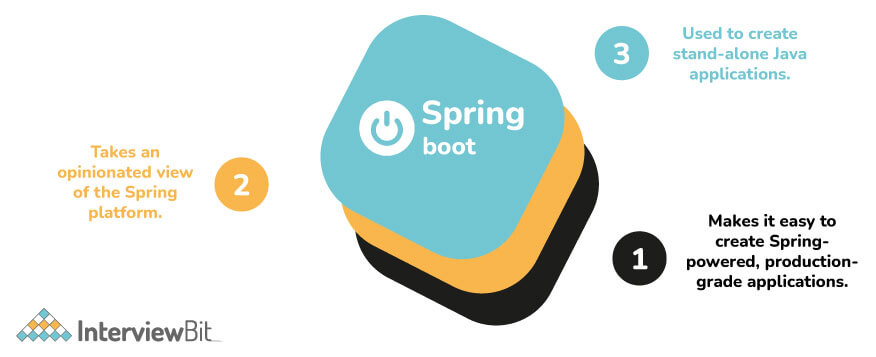



Comments
Post a Comment